How to turn your DS into a dictionary
Becose spelling is important

Have you ever wanted to look up a word but had no dictionary or internet connection to hand? Well, with DS Dictionary you can take a comprehensive dictionary with you wherever you go – you never know when you might need it.

|
|
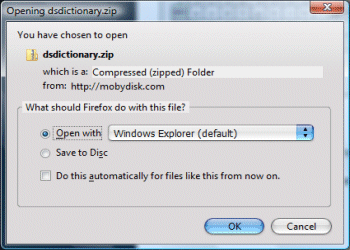
| Download files The first step is to download the files you will need. If you are tidy little bod, you may want to collect them together in a folder on your PC. You need to download the following: - DS Dictionary: DSDictionary.zip from here - DLDI File System Patcher Software: dlditool-win32-gui.zip from here - DLDI Driver File: from here |
|

|
|
| Unzip the DS Dictionary software Once downloaded, your next step is to unzip the DS Dictionary software into a folder on your PC. 1. Unzip the DSDictionary.zip file that you downloaded during Step 01. 2. Keep the folder to hand on your desktop or similar location. |

|

|
|
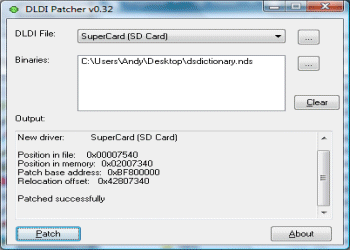
| Patch DS Reader software Because DS Dictionary uses a generic file system library, it needs to be patched so it can access files on your particular homebrew card. 1. Extract the dlditool-win32-gui.zip Patcher software to a folder on your PC. 2. Run the dlditool32.exe program. 3. Click the DLDI File button and browse to the location of the DLDI driver file you downloaded during Step 01. Ensure you have downloaded the DLDI driver file for your particular homebrew card from the list provided here. 4. Click the Binaries button and browse to the folder on your desktop and select the DSDictionary.nds file. 5. You can now copy the following files to the root folder of your homebrew card: - Game file: DSDictionary.nds - Dictionary Data File: GCIDE.dsdict |
|

|
|
| Start DS Dictionary Right, now you can now fire up the DS Dictionary software. 1. Remove your homebrew card or memory stick from your PC. 2. Insert your homebrew card into your DS. 3. Turn on the DS power and run the DSDictionary.nds file. 4. The software will take a moment to load. 5. Use the keyboard to enter the word you want to look up. |

|

|
|
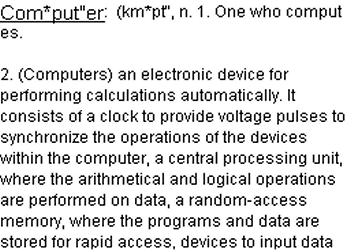
| Using DS Dictionary Once you have entered a word to look up, the dictionary's definition appears on the top screen. 1. Use Up/Down on the D-Pad to scroll the definition up and down. 2. Use the Left/Right shoulder buttons to move the page up and down. 3. Use the Start button to switch screens. |
|

|
|
| Dictionary on the go That's it. You can now take your DS Dictionary with you wherever you go. It'll come in handy, trust us – whether it's dealing with crosswords on the train or homework on the bus. Further information can be found here. As ever, check out our past DS How Tos to discover the many various ways of increasing your handheld's functionality. |

|