How to play old LucasArts games on DS
Get the SCUMM working for you

Following on from our 'Play Quake on Your DS' feature, we're now going to look at playing an even older string of games on DS. They're a collection of classic LucasArts titles that includes some of the best franchises in the adventuring business, namely Monkey Island and Sam & Max.
The following tutorial will walk you through getting up-and-running with SCUMMVM on the DS. SCUMMVM is an open source engine that lets you run your old LucasArts games on different platforms, providing you still have access to your original LucasArts game discs.
Beware, this is much more complicated than our usual DS How Tos, so you might want to prepare a cup of tea! If you're new to homebrew on DS, you'll need to read our guide first.
 |
|
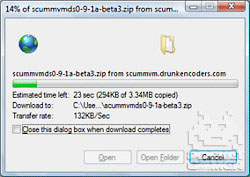
| Download Files The first step is to download the files you will need. If you are tidy little bod, you may want to collect them together in a folder on your PC. - Game demos (if you don't have any original discs to hand): demos.php - SCUMMVM for DS: scummvmds0-9-1beta3.zip - DLDI File System Patcher Software: dlditool-win32-gui.zip - DLDI: Driver File |
|
 |
|
| Unzip the SCUMMVM DS software The first step is to unzip the SCUMMVM DS software into a folder on your PC. This folder will then be used to build the file that we will copy to the flash card in Step 04. 1. Unzip the scummvmds0-9-1beta6.zip file that you downloaded during Step 01. 2. Keep the folder to hand on your desktop or similar location. 3. Note that the .bat and .gba files are not required for this How To. They are in the zip files to support legacy flash cards and have been superseded by the DLDI .nds files, which can be patched to work on any flash card. |

|
 |
|
| Patch SCUMMVM DS software Because SCUMMVM DS uses a generic file system library, it needs to be patched so it can access files on your particular homebrew card. 1. Extract the DLDI File System Patcher Software to a folder on your PC. 2. Run the dlditool32.exe program. 3. Click the DLDI File button and browse to the location of the DLDI driver file you downloaded during Step 01. Ensure you have downloaded the DLDI driver file for your particular homebrew card from the list provided. 4. Click the Binaries button and browse to the folder on your desktop and select the SCUMMVM.nds file you will be using. This depends upon which games you want to run as follows: scummvm-a.nds Manic Mansion Zak McKracken and the Alien Mindbenders Indiana Jones and the Last Crusade Loom Passport to Adventure The Secret of Monkey Island Monkey Island 2: LeChuck's Revenge Indiana Jones and the Fate of Atlantis Day of the Tentacle Sam & Max Hit the Road scummvm-b.nds Beneath a Steel Sky Flight of the Amazon Queen scummvm-c.nds Gobliiins Simon the Sorcerer 1 Simon the Sorcerer 2 The Legend of Kyrandia |

|
 |
|
| Add SCUMMVM Game Files The SCUMMVM engine needs access to the game files from your old LucasArts game. 1. Copy the patched scummvm-a/b/c.nds to your flash card. 2. Locate your datafiles, either from a LucasArts CD you have purchased or a demo version download in step 01. 3. Copy them to a folder on your flash card, with each set of files in their own sub folder. |

|
 |
|
| Setup SCUMMVM with Your Games You are now all set to use SCUMMVM. Before you can play anything you first need to add each of the games for which you have files. 1. Remove your flash card or memory stick from your PC. 2. Insert your homebrew card into your DS. 3. Turn on the DS power, and run the SCUMMVM file that you patched in Step 03. 4. Tap the Add Game button. 5. Browse over to the folder on your flash card in which you have stored your game files in Step 05. You can browse into a folder by double tapping. 6. Highlight the folder in which the game files exist and click the Choose button. 7. Confirm the settings and tap the OK button. |

|
 |
|
| Play games! You can now play your LucasArts games. 1. Turn on the DS power and run the SCUMMVM file that you patched in Step 03. 2. Highlight the game in the list and tap Start. 3. Play your LucasArts game on the DS with the following buttons: - Touch the bottom screen to look around. - A switches screens. - B skips story. - X accesses keyboard, then press D-Pad left or right to switch between taps being left/right clicks. - Left Shoulder button and D-Pad to pan display. - Left Shoulder button and A/B to zoom out/in. - Start button to show/hide the menu. - Select button to access SCUMMVM options. More advice can be found at the excellent Drunken Coders. Don't miss our other DS How Tos. |

|